
 Matt · June 05, 2026
Customthings Etsy Integration Guide
Connect your Etsy store to Customthings and manage customized products and orders from one place.
Connect your Etsy store in Customthings →
1. Connect Your Etsy Store
Go to the Etsy integration page and click Connect.
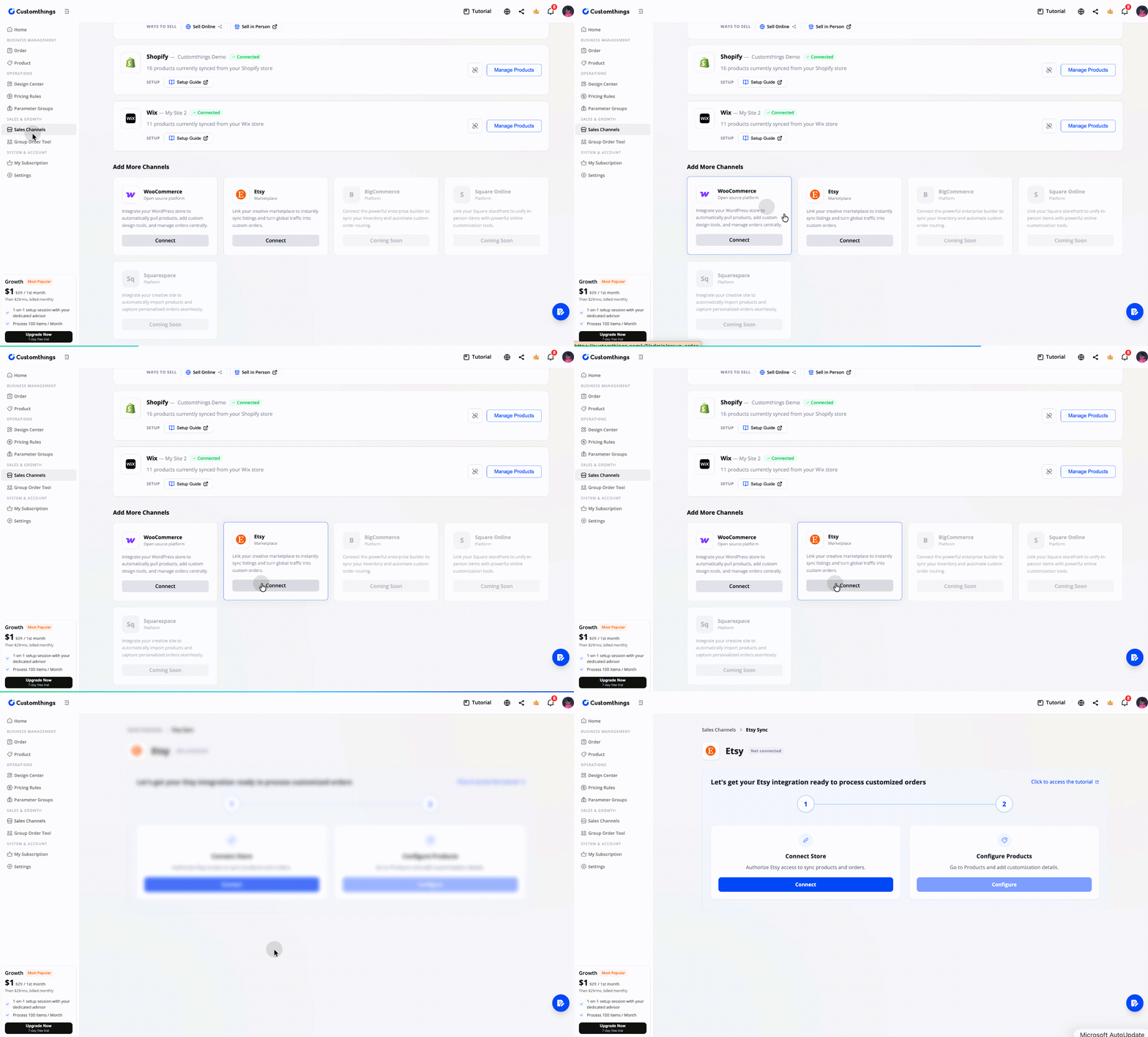
The system will guide you through authorizing Etsy access so Customthings can sync your products and orders.
This step is required before Customthings can read your Etsy product and order data.
2. Configure Your Products
After connecting, your Etsy products automatically appear in Customthings.
Go to the Product page, switch to your Etsy channel using the top-left channel switcher, and open any product to configure its customization settings — customizable area, design options, text fields, color, size, and other personalization fields.
Click Publish when done.
3. Send the Customization Link to the Customer
After receiving an Etsy order, copy the generated customization link from the Order page.
Option 1: Send manually (available now)
Copy the link and send it to the customer through Etsy Messages.
Option 2: Automatic email delivery (coming soon)
The system will support automatic email delivery of the customization link. We are currently waiting for Etsy to grant the required permissions.
Before You Go Live
Check the following:
☑️ Your Etsy store is successfully connected
☑️ Products are visible in the Etsy channel on the Product page
☑️ Customization information has been fully configured on the products you want to offer
Connect your Etsy store in Customthings Now→
Get Started guides:
Other platform integration guides: