
Blog /
How Customthings Works
How Customthings Works
 Louie · October 15, 2026
How Customthings Works
Everything you need to know about turning your xTool machine into a customization business — in 5 minutes.
What is Customthings?
Customthings is a business suite built for xTool makers who want to sell their products, especially customized ones. It connects three things that usually live in separate tools:
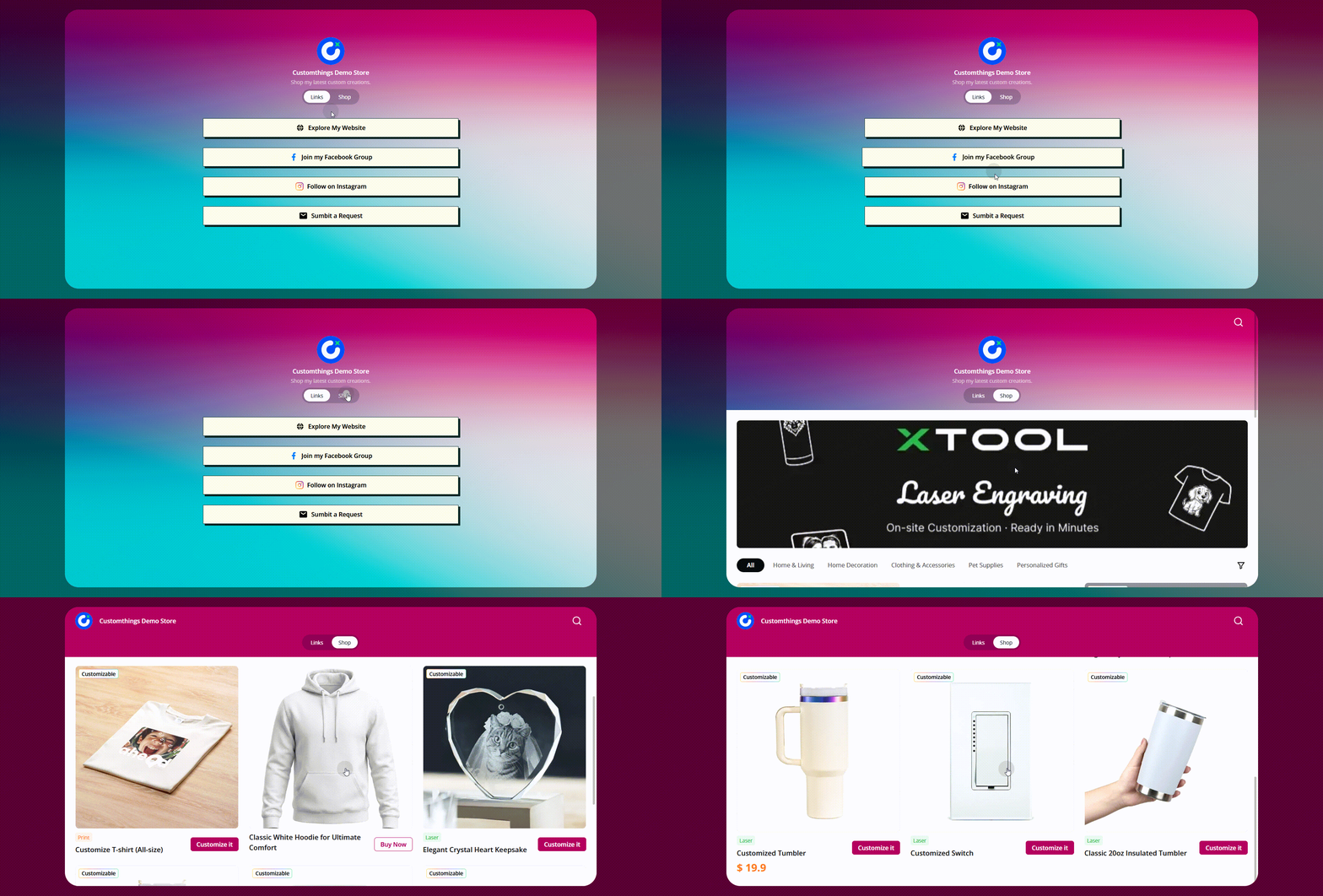
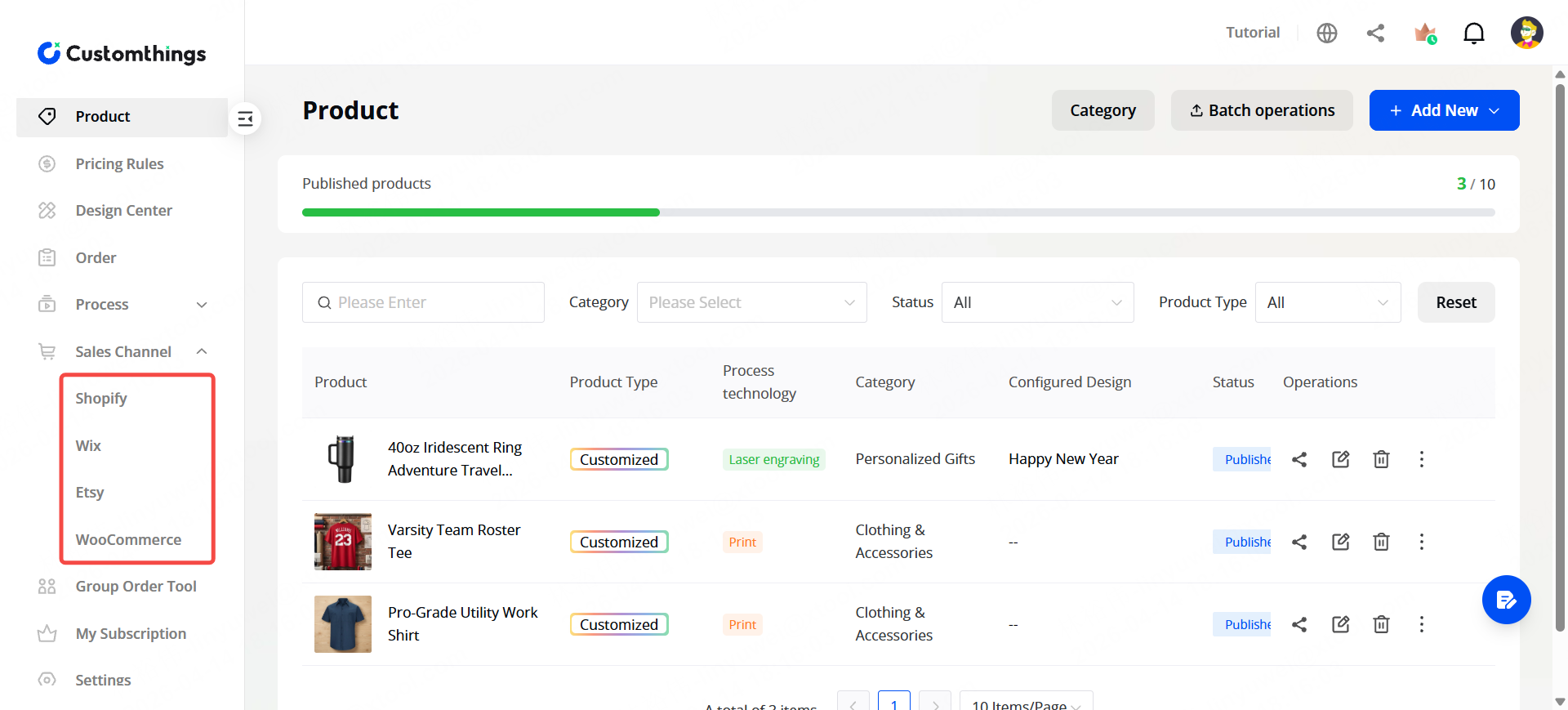
🛒Selling: your own Customthings online store, plus integrations with Shopify, Etsy, Wix, and WooCommerce.
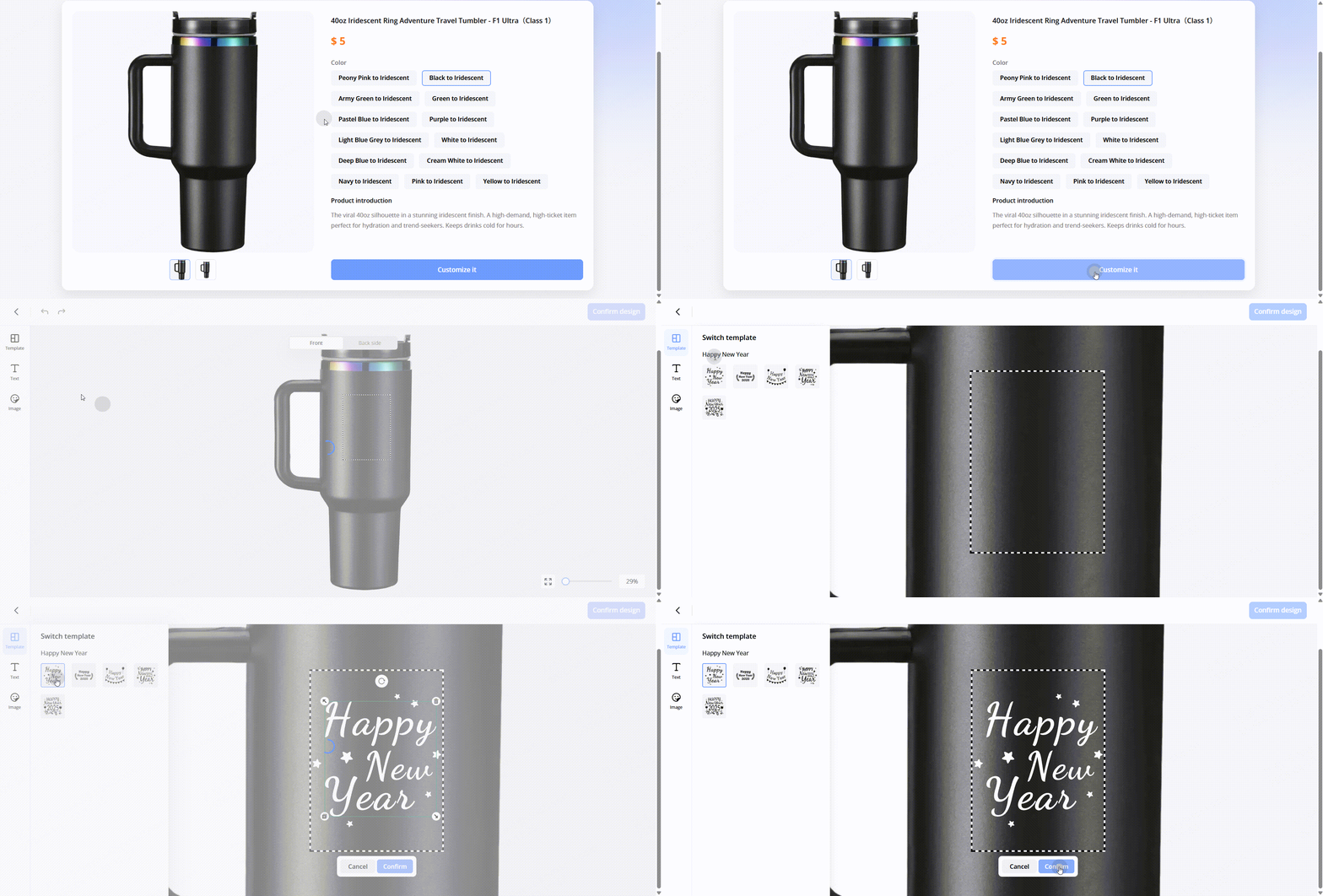
🎨Designing: a customization editor that your customers use to personalize products themselves.
🔧Producing: design files and processing parameters that send orders straight to xTool Studio for one-click manufacturing.
Think of it as the business layer on top of your xTool hardware: you set up products, your customers customize and order, and you produce — all from one dashboard.
The Big Picture
Here's the flow from setup to delivery:
You (the merchant) set up once →
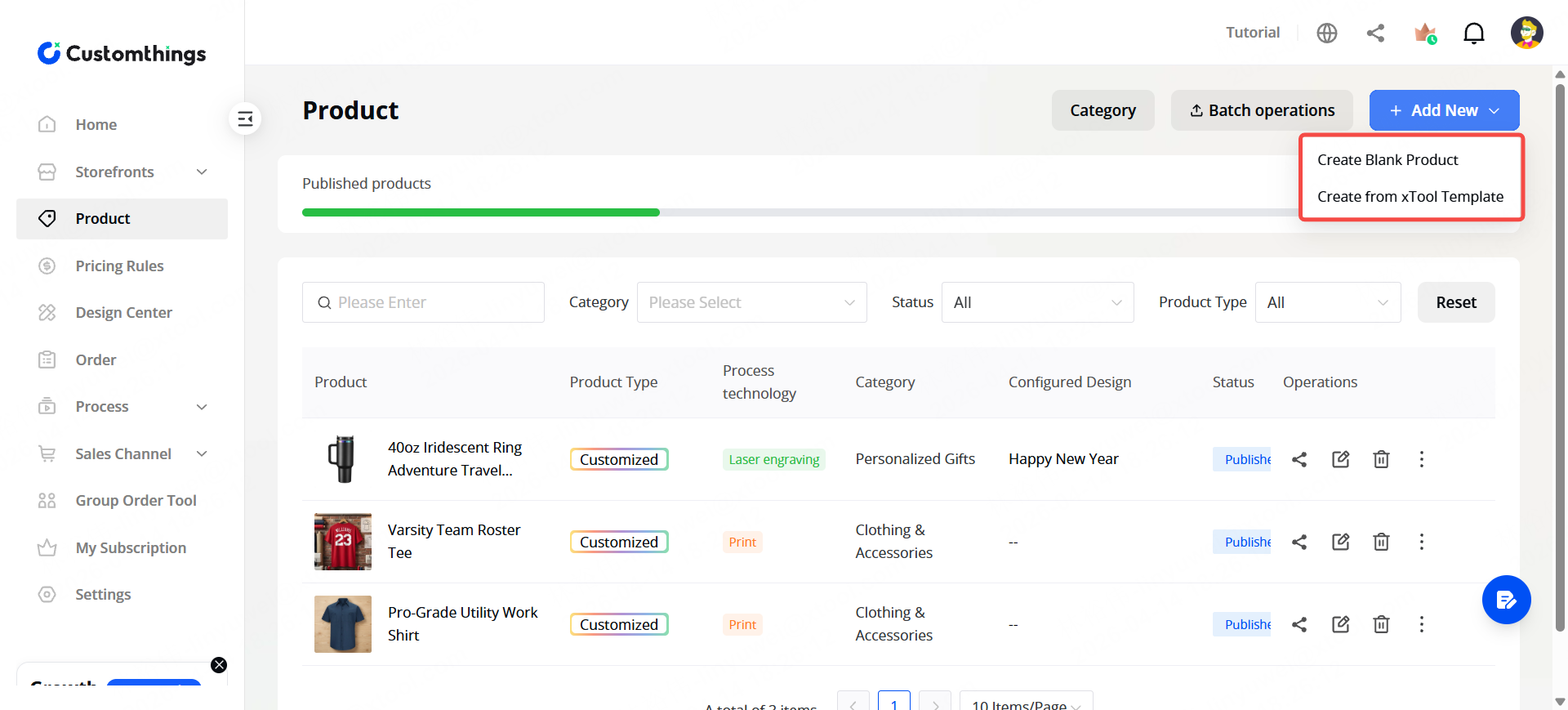
STEP 1: Create products in your dashboard (or pick from ready-made templates).
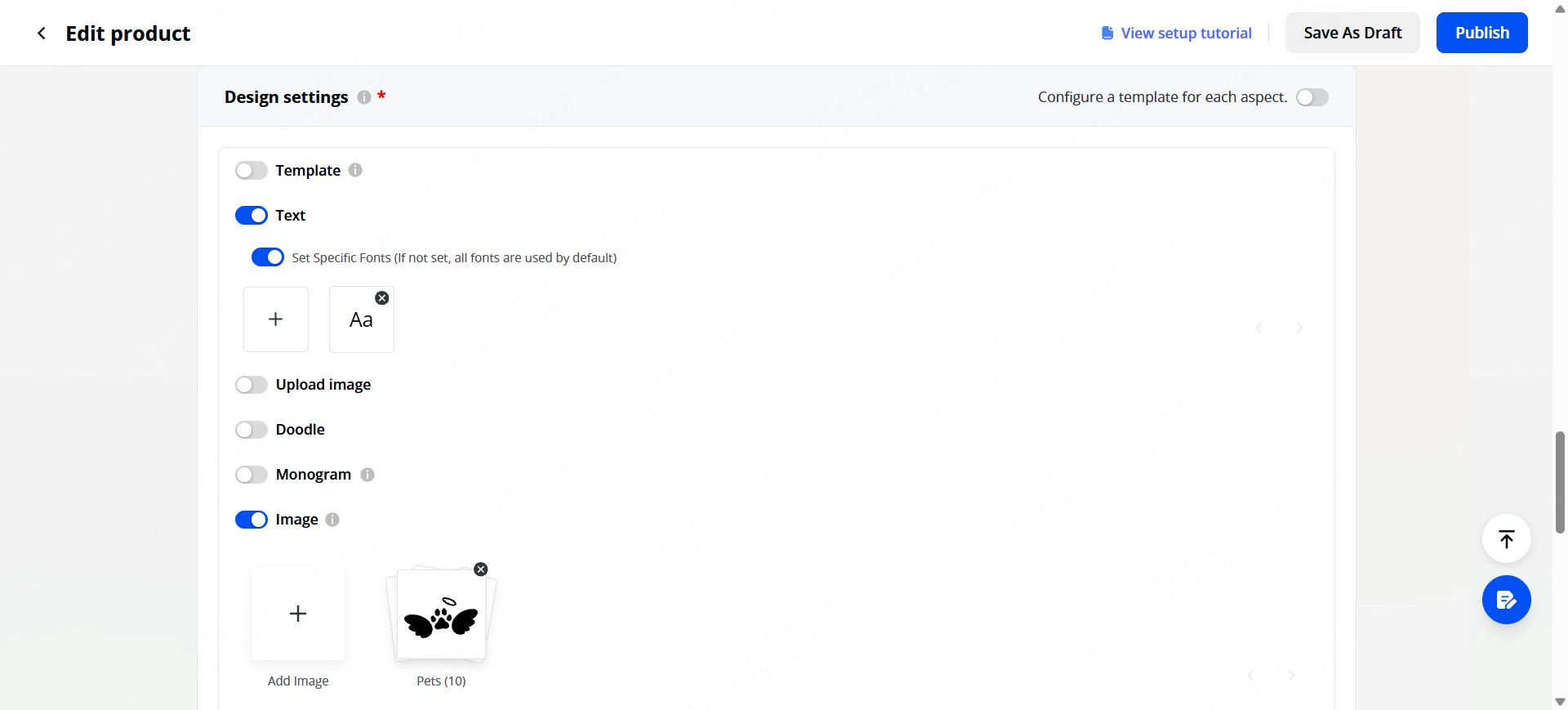
STEP 2: Configure where and what customers can customize
Text, images, templates.
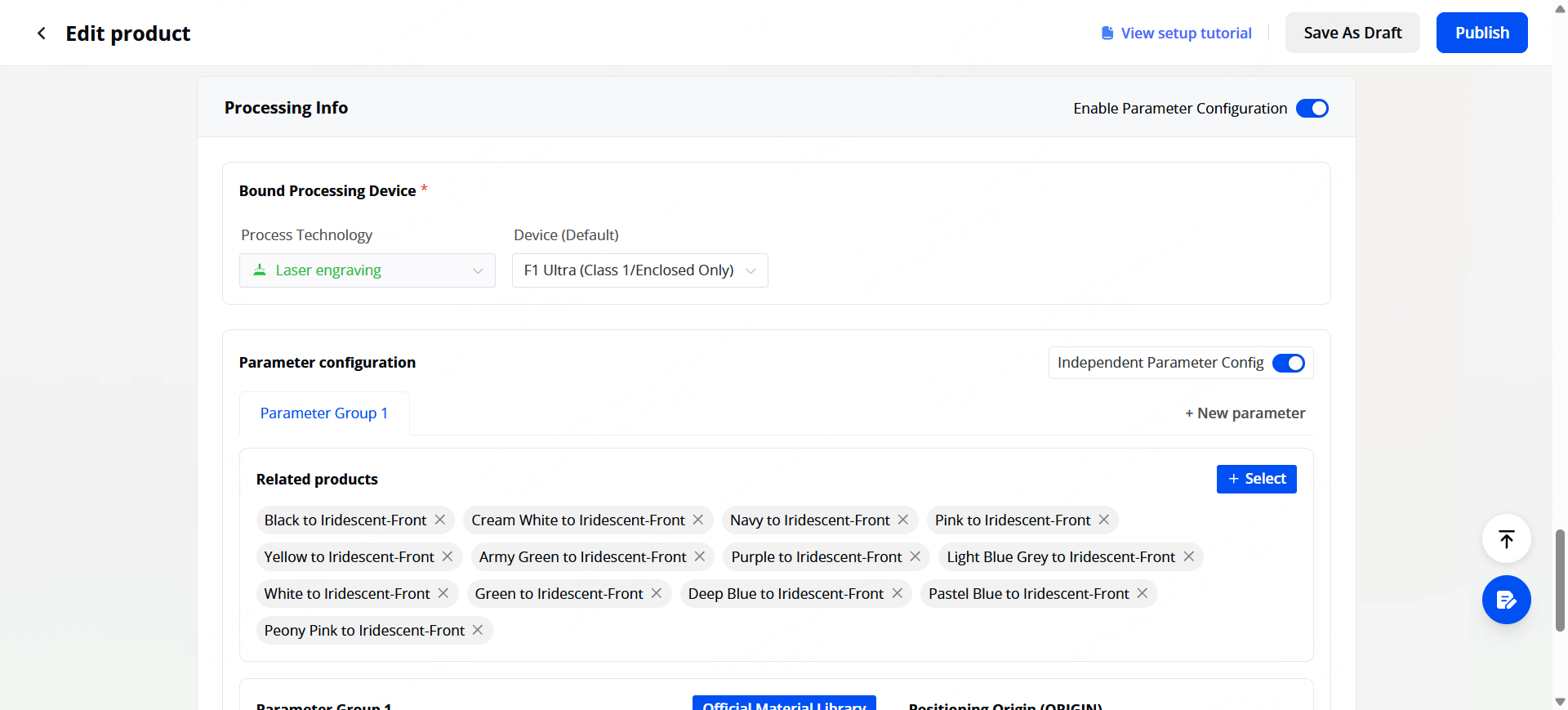
STEP 3: Set processing parameters (Optional)
So orders go straight to your xTool machine.
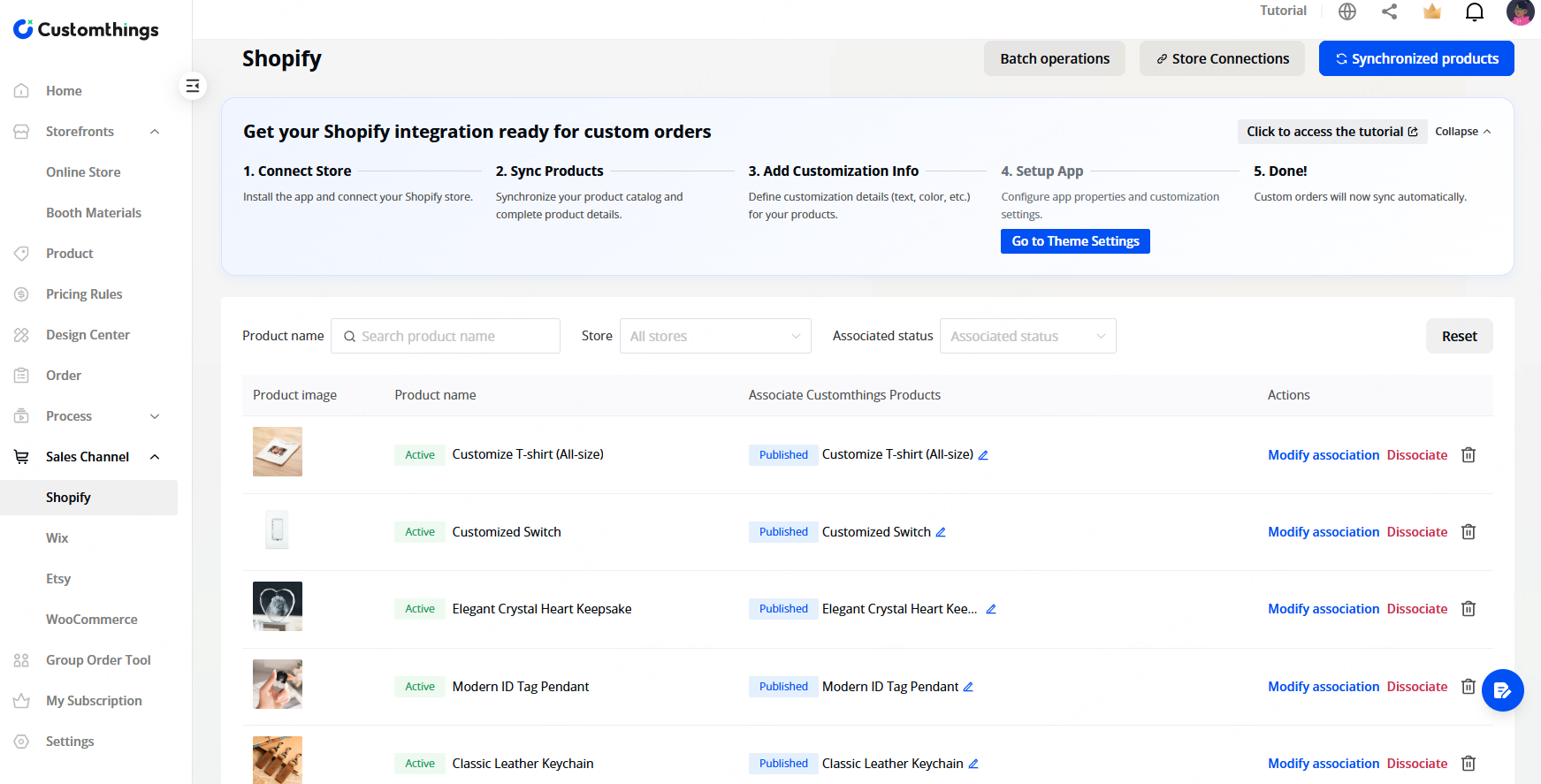
STEP 4: Connect your sales channels
Your Customthings store, Shopify, Etsy, or generate a QR code for your craftmaking booth.
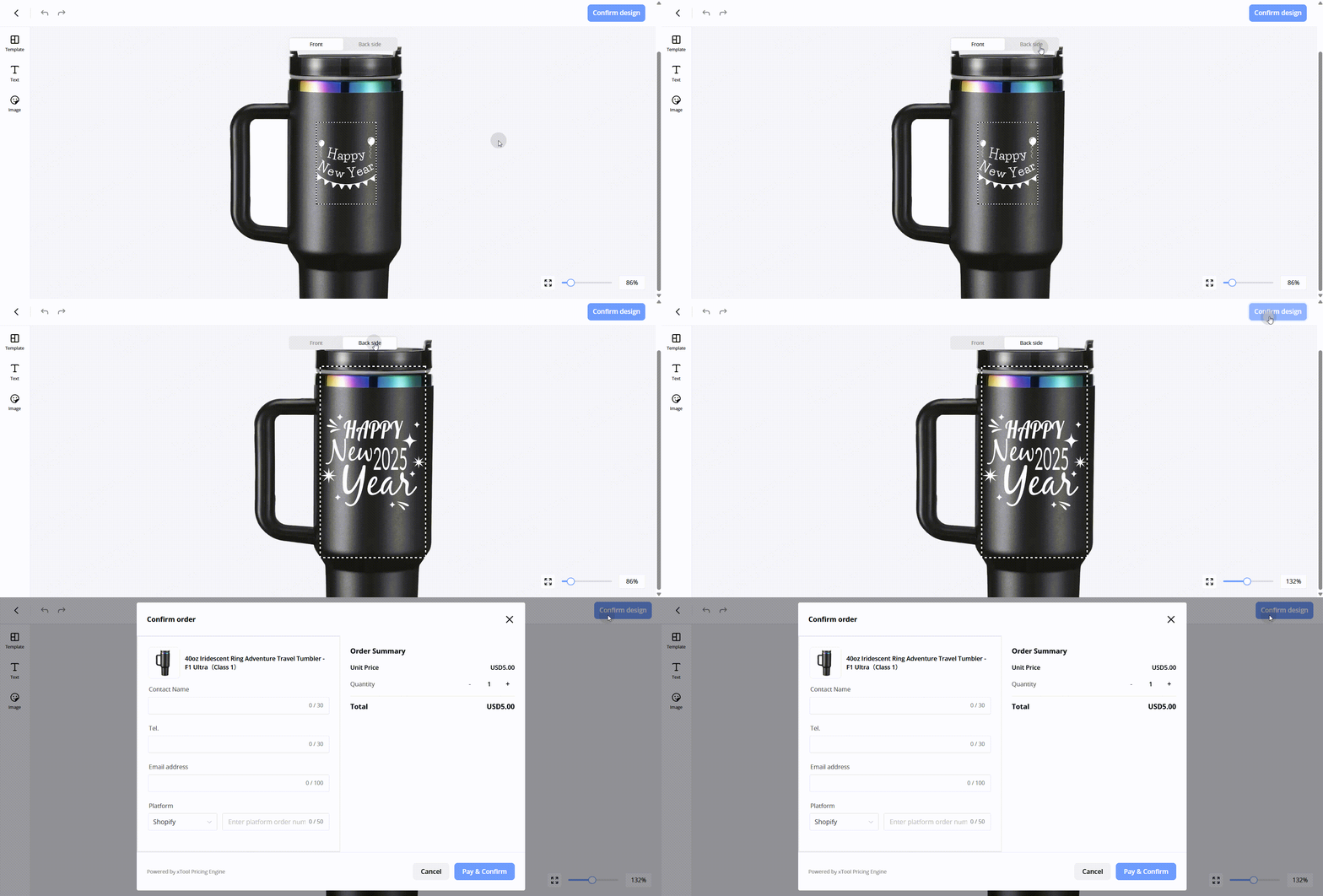
Your customer orders →
- They browse your store (online or scan a QR code in-person).
- They personalize the product in a live editor with a real-time preview.
- They submit the order, pay for it (if configured) and get a pickup code.
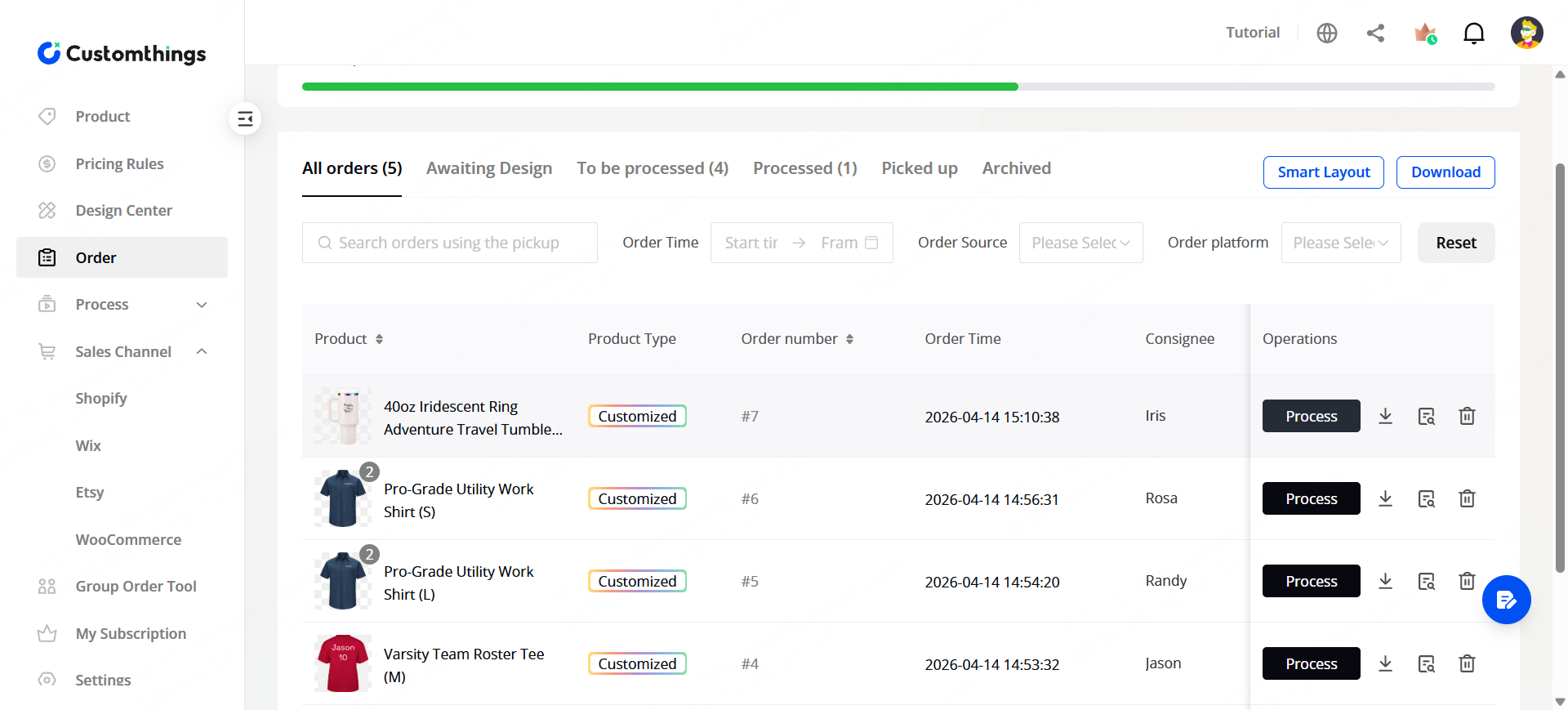
You produce →
- The order lands in your dashboard with the design file ready to download.
- One click sends it to xTool Studio with all parameters pre-loaded.
- You make it, mark it done, and the customer picks up.
Where Your Customers Find You
Channel | How it works |
|---|---|
Customthings Store | A hosted landing page with all your products. You can share the link or QR code anywhere |
Shopify | The customization editor embeds directly into your product listing |
Etsy | Customers receive a customization link after ordering |
Wix & WooCommerce | Plugin-based integration similar to Shopify |
In-person / QR code | Print the QR code on a poster or table stand and let customers scan and customize on their phone |
iPad app | Turn an iPad into a kiosk for on-the-spot customization and production |
Your Dashboard at a Glance
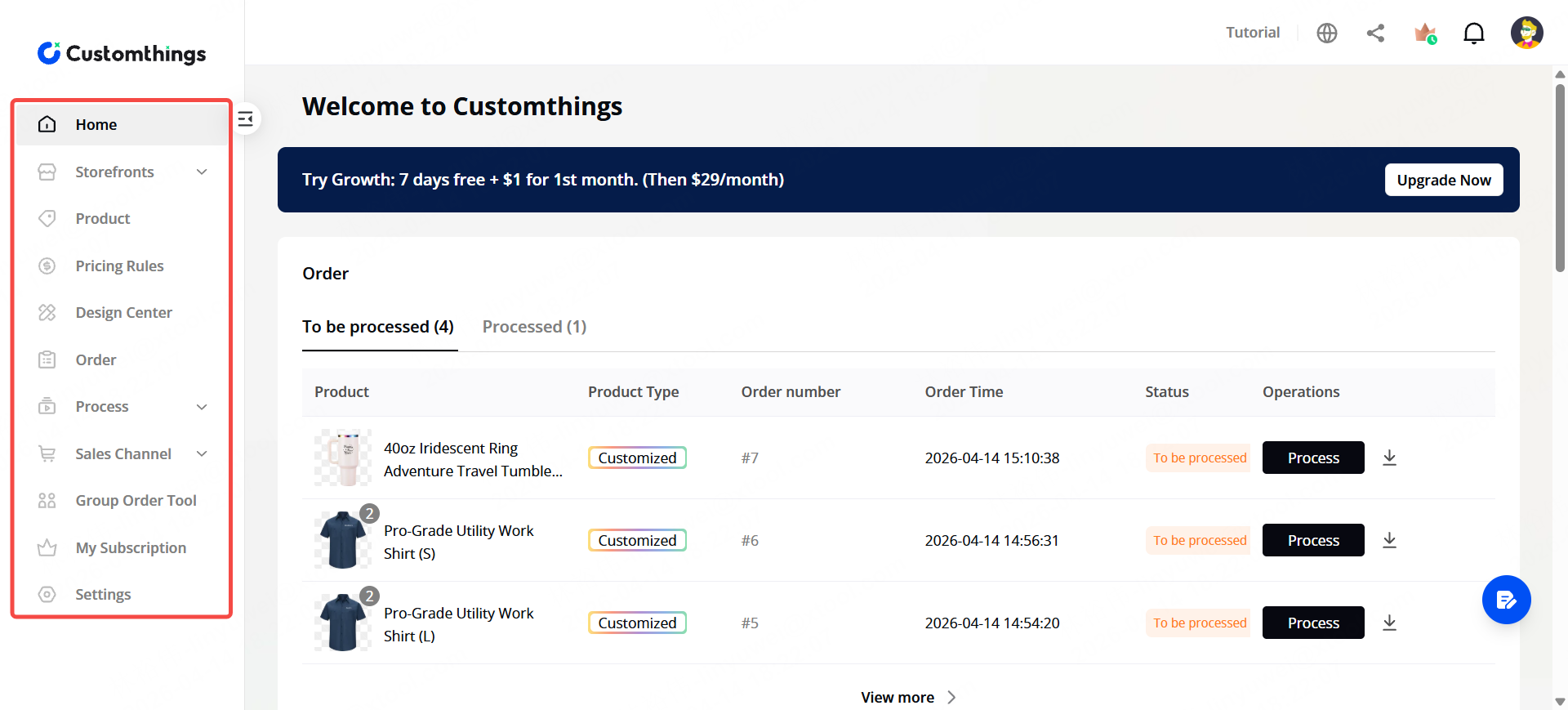
Once logged in, the left sidebar gives you these core sections:
- Storefronts — store name, logo, colors, and sharing options
- Product — create and manage everything you sell
- Design Center — templates, images, fonts, and AI filters for your customers
- Process — laser engraving or printing parameters per product
- Sales Channel — connect Shopify, Etsy, Wix, or WooCommerce
- Order — view, manage, and process all incoming orders from every channel
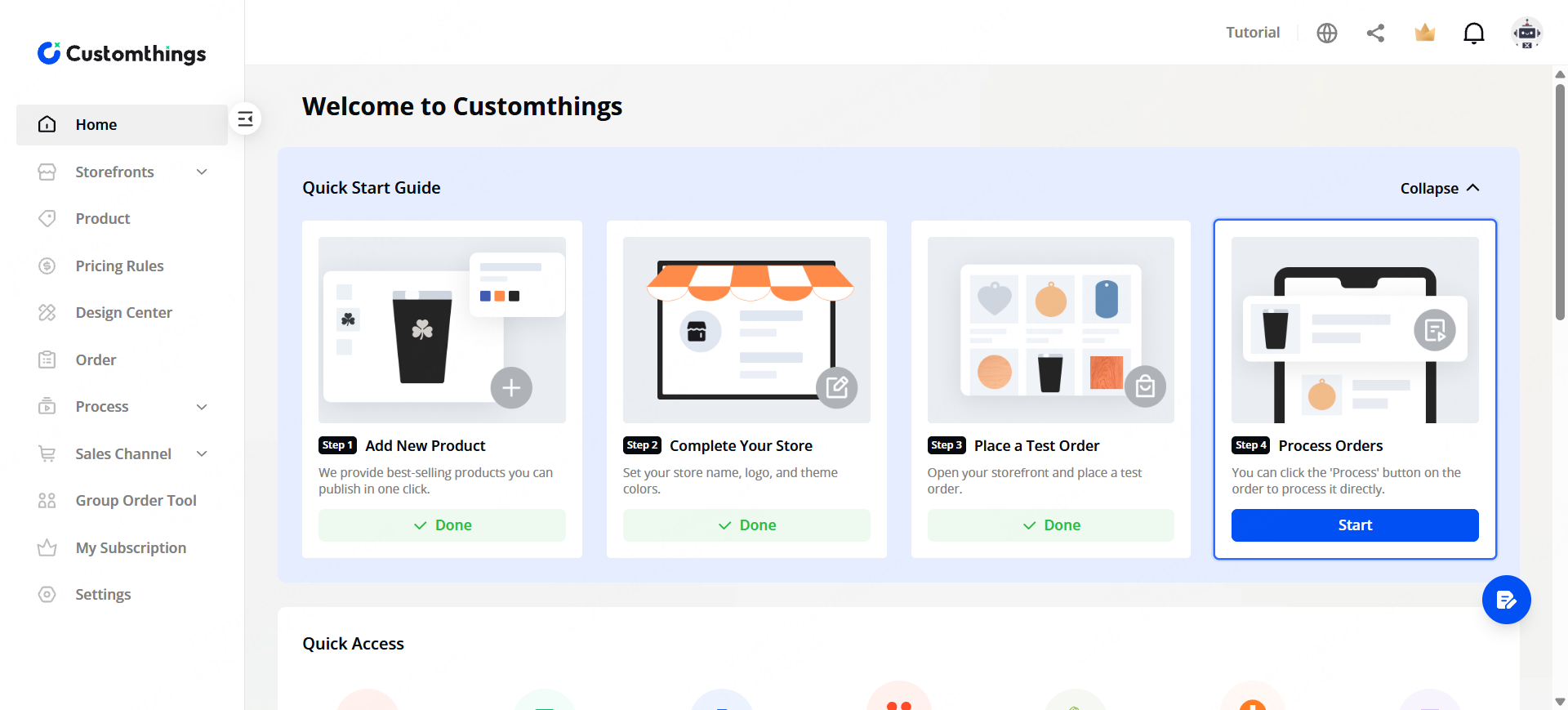
New users also see a Quick Start Guide — 4 steps to get your first order flowing. Once running, the home page shows recent orders and a data dashboard.
🚀What Makes It Different
- Customers design for themselves. The built-in editor lets them pick templates, type text, upload images, and preview in real time — no back-and-forth messages.
- Orders arrive production-ready. Each order carries the design file and machine parameters for one-click processing in xTool Studio.
- One dashboard, every channel. Shopify, Etsy, QR code at your booth — all orders land in the same place.
Ready to Start?
Check out the Get Started series:
- Set Up Your Customthings Online Store — brand your store and get your link
- Create Your First Product — list a product customers can customize
- Set Up Designs & Templates — curate what your customers can work with
- Connect Your Sales Channels — plug into Shopify, Etsy, and more
- Manage Orders & Start Processing — handle orders and send them to your machine
23